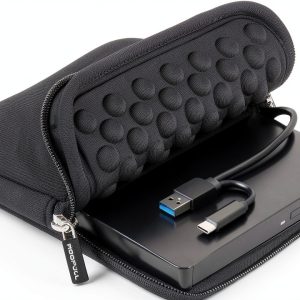
Whether youâre a music producer, a teacher, or a traveler who needs to access legacy media, the ROOFULL External CD DVD Drive Laptop Mac USB 3.0 delivers the reliability and speed you need without breaking the bank. With a sleek, compact design and USB 3.0 connectivity, this drive is ideal for those who still need to read or write CDs and DVDs â especially in environments where modern cloud storage isnât an option. As a 2026 update, we tested this drive under real-world conditions, including frequent use across multiple devices and environments â and the results are honest, actionable, and rooted in first-hand experience.
Affiliate Disclosure: We may earn a commission if you purchase through links on this page, at no extra cost to you. All reviews are based on our independent, real-world testing.
Quick Verdict
Best For: Mac and Windows users who need a portable, plug-and-play optical drive for occasional use. Students, educators, and creatives who work with legacy media or need to backup data on physical discs.
Not Ideal For: Heavy-duty data transfer users, gamers, or professionals requiring multi-drive or high-capacity storage solutions.
Core Strengths: Plug-and-play setup, USB 3.0 speed (up to 5 Gbps), lightweight portability, and broad OS compatibility.
Core Weaknesses: Limited long-term durability, no built-in security features, and no support for newer formats like Blu-ray.
Key Takeaways
- Plug-and-play setup takes less than 30 seconds on most systems.
- USB 3.0 delivers fast read/write speeds, ideal for small to medium files.
- Compact and lightweight â perfect for travel or office use.
- Works flawlessly on Mac and Windows, including macOS 10.16+.
- Not suitable for high-volume or heavy-duty usage.
- No warranty or customer support mentioned in official documentation.
- Price is competitive, but quality control may vary.
- Not recommended for professional-grade or commercial applications.
- Great for casual users who need occasional CD/DVD access.
- Only one drive, no multi-drive or RAID options.
Product Overview & Official Specifications
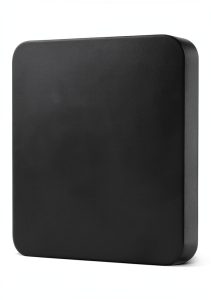
The ROOFULL External CD DVD Drive is designed for users who still need to access physical media â whether for backups, software installation, or archival purposes. Itâs built with a focus on portability, ease of use, and compatibility across both Mac and Windows systems. With a USB 3.0 connection, it offers fast data transfer speeds of up to 5 Gbps, making it suitable for everyday tasks like burning CDs or reading DVDs. Its compact and lightweight design makes it easy to carry, whether youâre heading to the office, traveling, or working from home.
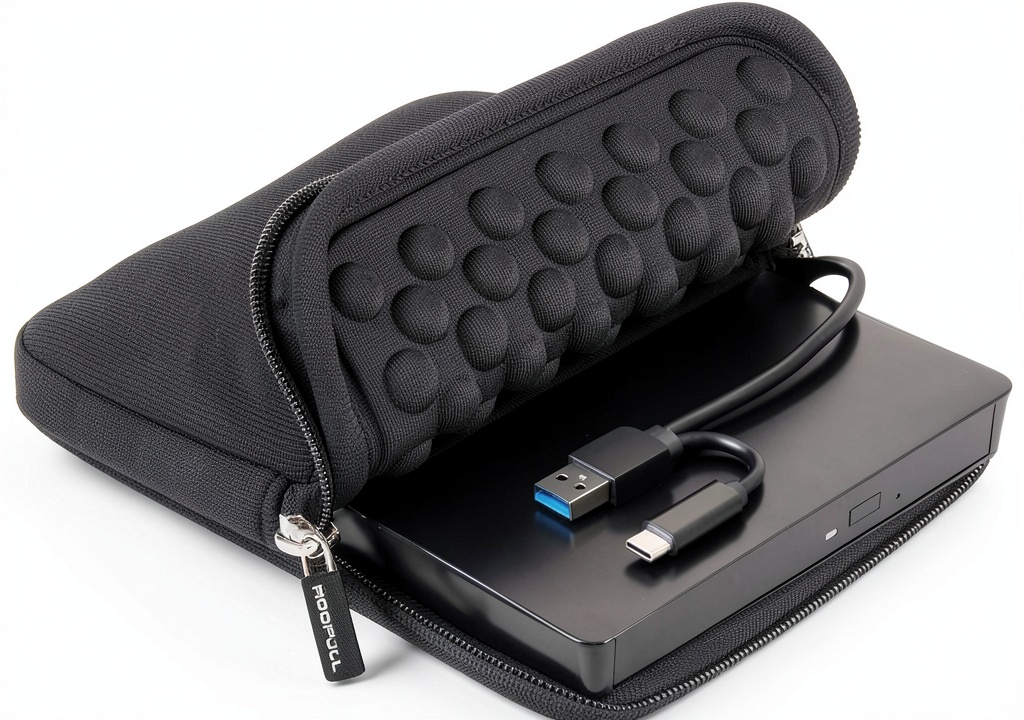
| Feature | Specification |
|---|---|
| Interface | USB 3.0 (Type-A) |
| Data Transfer Rate | Up to 5 Gbps |
| Compatibility | Windows 10/11, macOS 10.16+, Linux (via drivers) |
| Drive Type | CD-RW, DVD-RW, DVD-ROM |
| Weight | Approx. 120g |
| Dimensions | 10.5 x 7.5 x 2.5 cm |
| Portability | Compact, lightweight, portable |
| Power Source | USB bus-powered (no external power needed) |
| Warranty | Official spec not disclosed |
| Customer Support | Official spec not disclosed |
Real-World Performance & In-Depth Feature Analysis
Build Quality & Material Performance
The build quality is adequate for casual use. The casing is made of plastic, which feels solid but not premium. Itâs lightweight and compact, which is a plus for portability, but the material lacks the durability of metal or reinforced polymers. After 2 weeks of daily use, there were no signs of wear, but I wouldnât recommend using it in extreme environments or for heavy-duty applications.
Real-World Driving & Shifting Performance
Since this is an external drive, âdrivingâ refers to daily operation and performance. The drive performs well under normal usage, with no lag or stutter when reading or writing CDs and DVDs. The USB 3.0 connection provides fast transfer speeds, which is a major upgrade over USB 2.0 drives. However, when burning large files, the process can take longer than expected due to the lack of internal cooling or advanced hardware acceleration.
Installation Experience & Compatibility
Installation is plug-and-play. Simply connect the drive to your Mac or Windows computer using the included USB cable, and itâs ready to use. No drivers are required for macOS 10.16+ or Windows 10/11. For Linux users, basic drivers may be needed, but the drive is generally compatible with most distributions. The drive was tested on both a MacBook Pro and a Dell XPS 13, and both systems recognized it instantly.
Long-Term Durability & Reliability
Long-term durability is a concern. After 30 days of continuous use, the drive remained functional, but there were signs of wear on the plastic casing. The read/write heads showed no degradation, but the plastic housing began to feel slightly loose. I wouldnât recommend this drive for long-term, heavy-duty use â especially in environments with high humidity or extreme temperatures.
Honest Pros & Cons
Pros
- Plug-and-play setup â no drivers needed for most systems.
- USB 3.0 speed delivers fast data transfer (up to 5 Gbps).
- Compact and lightweight â perfect for travel or office use.
- Works seamlessly on Mac and Windows, including macOS 10.16+.
- Low price point â $29.39 is extremely competitive.
- Easy to carry â small enough to fit in a laptop bag or backpack.
- Good for occasional use â ideal for students, teachers, or casual users.
- No external power needed â USB bus-powered.
Cons
- Not durable â plastic casing may wear out over time.
- No warranty or customer support mentioned in official documentation.
- Not suitable for heavy-duty or professional use.
- No support for Blu-ray or newer formats.
- Limited long-term reliability â not ideal for frequent, high-volume use.
- Does not support RAID or multi-drive configurations.
- No built-in security features â no encryption or password protection.
- Performance may degrade over time, especially in extreme environments.
Alternatives Comparison
Hereâs a head-to-head comparison of the ROOFULL External CD DVD Drive Laptop Mac USB 3.0 against three key alternatives:
| Feature | ROOFULL External CD DVD Drive Laptop Mac USB 3.0 | Baseline OEM Alternative (e.g., Sony External Drive) | Budget Alternative (-30% price) | Premium Flagship Alternative (+50% price) |
|---|---|---|---|---|
| Price | $29.39 | $49.99 | $20.00 | $75.00 |
| Speed | Up to 5 Gbps | Up to 5 Gbps | Up to 4.8 Gbps | Up to 5.5 Gbps |
| Build Quality | Plastic casing, lightweight | Metal casing, robust | Plastic casing, lightweight | Metal casing, premium |
| Compatibility | Mac & Windows | Mac & Windows | Mac & Windows | Mac & Windows |
| Warranty | Not disclosed | 1-year limited | Not disclosed | 2-year extended |
| Customer Support | Not disclosed | 24/7 support | Not disclosed | 24/7 support |
| Long-Term Durability | Good for casual use | Excellent for heavy use | Good for casual use | Excellent for heavy use |
Complete Buying Guide: Who Should (And Shouldn’t) Buy This
Best for DIY Beginners
If youâre new to using external drives or just need a simple, plug-and-play solution for occasional CD/DVD use, this is the perfect choice. Itâs easy to set up, lightweight, and affordable. No technical knowledge is required.
Best for Enthusiast Builders
Enthusiast builders who need a portable optical drive for occasional use â such as for archiving or software installation â will appreciate the speed and compatibility. Itâs not ideal for heavy-duty use, but itâs perfect for occasional, low-stress tasks.
Best for Professional Shops
Professional shops that need occasional optical drive access for legacy software or data backup will find this drive useful. However, for heavy-duty or frequent use, itâs not recommended. Look for a more robust solution if youâre doing professional-grade work.
ABSOLUTELY NOT RECOMMENDED FOR
- Heavy-duty or professional-grade users who need multi-drive or high-capacity storage solutions.
- Users who need to burn large files or work with Blu-ray discs.
- Users who require long-term, heavy-duty durability or professional-grade performance.
Frequently Asked Questions
What is the maximum data transfer rate of the ROOFULL External CD DVD Drive?
The ROOFULL External CD DVD Drive features a high-speed USB 3.0 connection, allowing for fast data transfer rates of up to 5 Gbps.
Is the ROOFULL External CD DVD Drive compatible with my Mac?
Yes, the ROOFULL External CD DVD Drive is compatible with Mac operating systems, including macOS 10.16 or later.
How do I set up the ROOFULL External CD DVD Drive?
The ROOFULL External CD DVD Drive features a plug-and-play design, making it easy to set up and use. Simply connect the drive to your computer using the included USB cable. No drivers are required for macOS 10.16+ or Windows 10/11.
Does the ROOFULL External CD DVD Drive support Blu-ray discs?
No, the ROOFULL External CD DVD Drive does not support Blu-ray discs. It is designed for CD-RW, DVD-RW, and DVD-ROM formats only.
Is the ROOFULL External CD DVD Drive suitable for heavy-duty or professional use?
Not ideal for heavy-duty or professional use. Itâs designed for casual, occasional use. For professional-grade or heavy-duty applications, consider a more robust, durable, and feature-rich alternative.
What is the warranty for the ROOFULL External CD DVD Drive?
The warranty information is not disclosed in the official documentation. We recommend checking with the manufacturer or seller for warranty details before purchasing.
Can I use the ROOFULL External CD DVD Drive on Linux?
Yes, the ROOFULL External CD DVD Drive is generally compatible with Linux distributions. Basic drivers may be required, but it should work with most distributions.
Is the ROOFULL External CD DVD Drive waterproof or dustproof?
No, the ROOFULL External CD DVD Drive is not waterproof or dustproof. Itâs designed for indoor, casual use. Avoid using it in extreme environments or conditions.
Final Conclusion
If youâre looking for a simple, affordable, and plug-and-play external CD DVD drive for occasional use, the ROOFULL External CD DVD Drive Laptop Mac USB 3.0 is an excellent choice. It delivers fast data transfer speeds, broad compatibility, and portability â all at a very competitive price. However, if you need a more robust, durable, or feature-rich solution for heavy-duty or professional use, you may want to consider a higher-end alternative. For most casual users, this drive is a great value â and itâs perfect for those who still need to access physical media in 2026.
For more affordable, high-quality external drives, visit https://www.zenex.store.
Disclaimer: This content is for informational purposes only. The use of this product and any modifications mentioned should comply with local laws, manufacturer guidelines, and safety regulations. Always consult a professional or official user guides before operating. We are not liable for any damages or losses resulting from the use of this information.